July 6, 2026 · 10:28 AM
Ship HTML snapshots into Notion
Use Notion's new API-created HTML blocks to turn sprint dashboards, roadmap deltas, and review packets into refreshable visual snapshots inside a Notion page.

Between June 26 and July 6, Notion added HTML blocks through the API: upload an
.html or .htm file with the File Upload API, attach it to an embed block with embed.file_upload, and Notion renders the file interactively inside a sandboxed iframe. 1 2 The useful PM pattern is narrower than "live dashboard inside Notion": treat the block as a refreshable HTML snapshot generated by your automation layer.Use this for weekly sprint reviews, roadmap readouts, launch checklists, or PRD prototypes where a small interactive surface explains the state faster than another table. Department of Product's Rich Holmes described the product-team value as collapsing the distance between documentation and interaction, with lightweight demos living where the spec already lives. 3
Prerequisites
| Requirement | Detail |
|---|---|
| Notion API version | Send Notion-Version: 2026-03-11 on the block and page requests that create or update HTML blocks. 1 |
| Integration capability | Use Insert Content capability for appending block children or creating a page, and Update Content capability when converting an existing block. 4 5 |
| Uploadable file | .html and .htm files are supported document uploads with MIME type text/html. 6 |
| File size | Free workspaces are limited to 5 MiB per file, and paid workspaces are limited to 5 GiB per file. 6 |
| Filename | The filename parameter can be up to 900 bytes including the extension. 6 |
| Page target | PATCH /v1/blocks/{block_id}/children can append the HTML block under an existing page or block, while POST /v1/pages can create a page with the HTML block already in its children. 4 7 |
Avoid this pattern when the PM workflow needs shared state, direct Notion database writes from the widget, or live external API calls from inside the iframe. Matthias Frank writes that HTML blocks run in a secure sandbox, cannot read or write the rest of the workspace, and cannot reach the wider web. 8 Reddit users were already asking for database-to-HTML binding after launch, which points to a limitation PMs should design around rather than assume away. 9
The pattern: generate outside, render inside
The workflow has four moving parts:
- Pull the source data outside Notion, such as Jira sprint issues, Linear cycle status, or a CSV export from a planning tool.
- Generate a self-contained HTML file with the CSS and JavaScript it needs bundled into the file.
- Upload that file through Notion's File Upload API.
- Attach the uploaded file to an embed block with
embed.type = "file_upload"andembed.file_upload.id = "...".
The block payload is small:
{
  "type": "embed",
  "embed": {
    "type": "file_upload",
    "file_upload": {
      "id": "43833259-72ae-404e-8441-b6577f3159b4"
    }
  }
}
Notion's block reference specifies that an embed backed by an uploaded HTML file becomes an HTML block, and the same reference says
embed.url and embed.file_upload are mutually exclusive inputs. 2 That makes the HTML block a normal embed at the API boundary, with one important difference: Notion renders the uploaded file instead of showing an external website preview.For a PM automation, this means your source-of-truth logic should stay outside the block. n8n, Make, a Worker, or a scheduled script can collect current sprint data, regenerate
sprint-review.html, upload it, and replace or append the Notion block. The HTML block should show the current snapshot; the pipeline owns freshness.Concrete workflow: sprint review snapshot
Start with a Notion page template called
Sprint Review. Add a placeholder section named Interactive snapshot so your automation has a stable block or page target.- Trigger the run. Schedule the workflow every Monday morning or trigger it when the sprint review page reaches
Status = Ready for review. - Collect the data. The automation pulls the sprint issue list, status counts, carryover items, blocked work, and launch-risk notes from Jira or Linear. Keep the query outside the HTML block because the block should not be responsible for fetching live data.
- Generate the file. Ask Claude, ChatGPT, or your own renderer to produce one self-contained
.htmlfile containing a small chart, a risk table, and filter buttons. Matthias Frank notes that tools like Claude and ChatGPT can generate these files for users who do not write code by hand. 8 - Upload the file. Create a FileUpload, send the HTML bytes, and wait until the FileUpload status is
uploaded. Notion's file-upload reference says an uploaded file can then be attached to blocks, pages, and databases with a file object of typefile_upload. 10 - Attach the block. Append an embed child under the sprint review page with the uploaded file ID. The append endpoint supports adding block children under an existing block or page and allows up to 100 children per request. 4
- Refresh by replacement. On the next run, generate a new HTML file and update the existing embed block to point at the new
file_uploadID. Notion's update-block endpoint can update a block's type-specific value. 5
The expected outcome is a Notion page that keeps the narrative, decisions, and next actions in normal blocks, while the interactive HTML block handles the one surface that benefits from interaction: filtering a sprint snapshot, expanding risks, or switching between status and owner views.
Gotchas
Do not cache the returned URL. When you retrieve the block later, Notion returns a temporary signed
embed.url, not the original file_upload object. The block reference says the link expires, so fetch the block again when you need a fresh URL. 2Do not mix
url and file_upload. The embed object must provide either url or file_upload, not both. 2 If you update the embed to point at a non-HTML file or a normal URL, Notion turns it back into a regular embed. 2Keep the HTML small on Free workspaces. A 5 MiB limit is usually enough for a KPI card, calculator, or lightweight dashboard, but base64 images and bundled libraries can push a file over the Free-workspace limit. 6
Test JavaScript libraries before standardizing. The public docs confirm a sandboxed iframe but do not publish the exact sandbox attributes, and the research window did not surface a verified Chart.js or D3.js compatibility report. 2 Treat chart-library choice as an implementation test, not a documented guarantee.
Keep collaboration in Notion, not inside the widget. Community examples already include calculators, Pomodoro timers, email proposal drafts, and portfolio experiments, but users also noted that state handoff back into Notion gets awkward without routing through the Notion API via tools such as Make or n8n. 11 Put comments, approvals, and decisions in normal Notion blocks or database properties.
Smallest test
Build a one-card
sprint-review.html file with static sample data: committed issues, shipped issues, carryover issues, and one expandable risk note. Upload it, append it as an HTML block, and then update the same block with a second file that changes the numbers.If the replacement works, you have the core stitching pattern. The production version can swap the sample data for a scheduled Jira or Linear query, but the Notion-side contract stays the same: uploaded HTML file in,
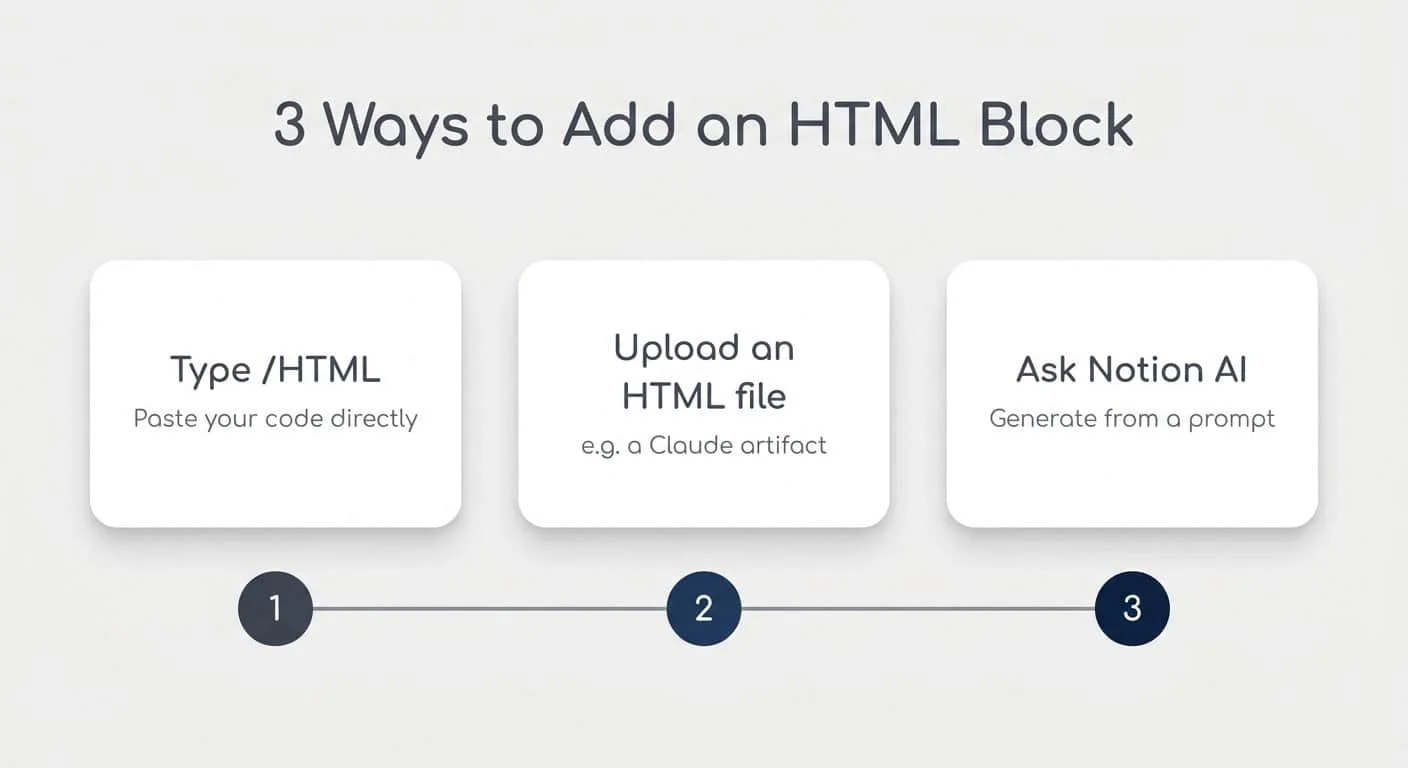
embed.file_upload block rendered inside the review page.Cover image: image from How Notion HTML Blocks Work (And Their Limits).
References
- 1Changelog - Notion Docs
- 2Block object reference - Notion Docs
- 3The Return of Claude Fable and Notion's HTML PRDs
- 4Append block children - Notion Docs
- 5Update a block - Notion Docs
- 6Working with files and media - Notion Docs
- 7Create a page - Notion Docs
- 8How Notion HTML Blocks Work (And Their Limits)
- 9HTML blocks just landed in Notion!
- 10File Upload - Notion Docs
- 11What are you guys doing with the html
Related content
- Sign in to comment.